


What is an online store?
An online store is a public website where customers browse products, read about your business, and place orders without visiting a physical location. On Cartva, your store lives at a dedicated URL — for example, cartva.co/store/your-store-name — and serves as the central hub for your products, policies, and checkout.
Unlike a simple product catalog shared in messages, a storefront gives you structured pages, navigation, and a consistent brand experience. Customers can return to the same link, bookmark it, and share it with others.
Core components
A Cartva online store typically includes:
- A home page with your branding and featured products
- Product pages with images, variants, and pricing
- Static pages such as About, Contact, and shipping policies
- A checkout flow connected to your payment methods
How it works on Cartva
When you create a Cartva account, a storefront is provisioned automatically. You do not need to set up hosting or install software.
Setup flow
- Account creation — Choose your industry, store name, and initial payment methods during signup.
- Product catalog — Add items from the Products section in your dashboard. Each product gets its own page on the storefront.
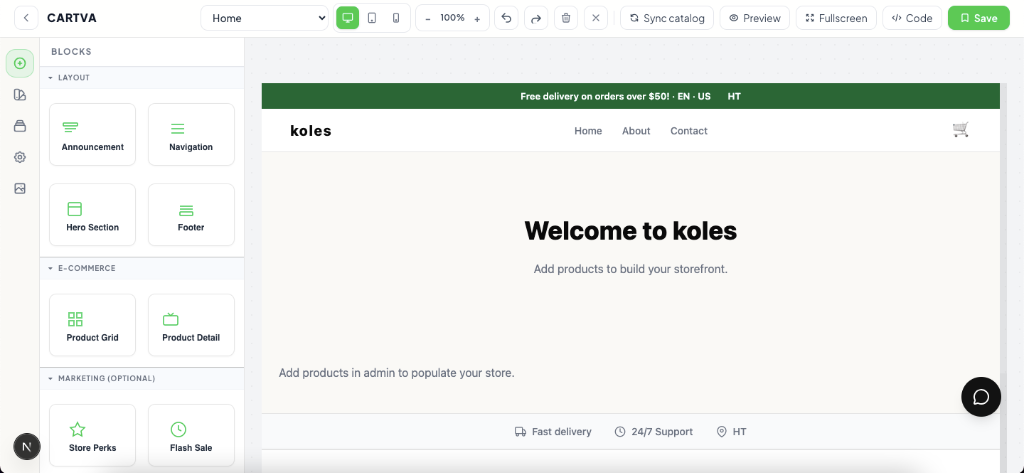
- Theme and pages — Select a theme and customize sections using the visual editor. Add or edit pages like About and Contact.
- Publish — Your store is live once products are saved. Share the link wherever you sell.
Dashboard integration
Your storefront connects to the same dashboard that manages orders, customers, and analytics. When a customer places an order on the web, it appears in Orders alongside orders from WhatsApp or other channels.
Store URL structure
Each store receives a unique subdomain-style path under Cartva. You can also connect a custom domain so customers see your own brand in the address bar.
Who it's for
An online store on Cartva fits merchants who want a professional web presence without hiring a developer.
Good fit:
- Retail sellers moving from informal WhatsApp sales to a structured catalog
- Small brands that need a shareable link for social media bios and ads
- Businesses selling physical goods, digital products, or services with clear pricing
- Entrepreneurs in Haiti and the Caribbean who want local payment options like MonCash
Less ideal if:
- You only need one-off invoices with no catalog — a simple payment link may suffice
- You require highly custom web applications beyond standard ecommerce pages
What you control vs what Cartva handles
| You control | Cartva handles |
|---|---|
| Product listings, prices, and images | Hosting and uptime for your storefront |
| Theme selection and page content | SSL certificates on Cartva domains |
| Payment methods you enable | Checkout infrastructure and order records |
| Shipping zones and rates | Platform updates and security patches |
| Custom domain connection (when configured) | Default store URL at signup |
You own your product data, customer relationships, and pricing decisions. Cartva provides the platform, editor, and checkout plumbing so you can focus on selling.
Pricing model
The online storefront itself is included with your Cartva subscription. You do not pay separately for hosting the store pages.
Revenue-related costs come from:
- Your Cartva plan — Monthly or promotional pricing based on the tier you choose at signup
- Payment processing — Fees depend on the gateway (MonCash, PayPal, Stripe, etc.) and are set by those providers
- Optional add-ons — Features like advanced integrations or additional stores may vary by plan
There is no per-page or per-visitor charge for standard storefront usage. Review your plan details in Settings for current limits on products, staff accounts, or integrations.